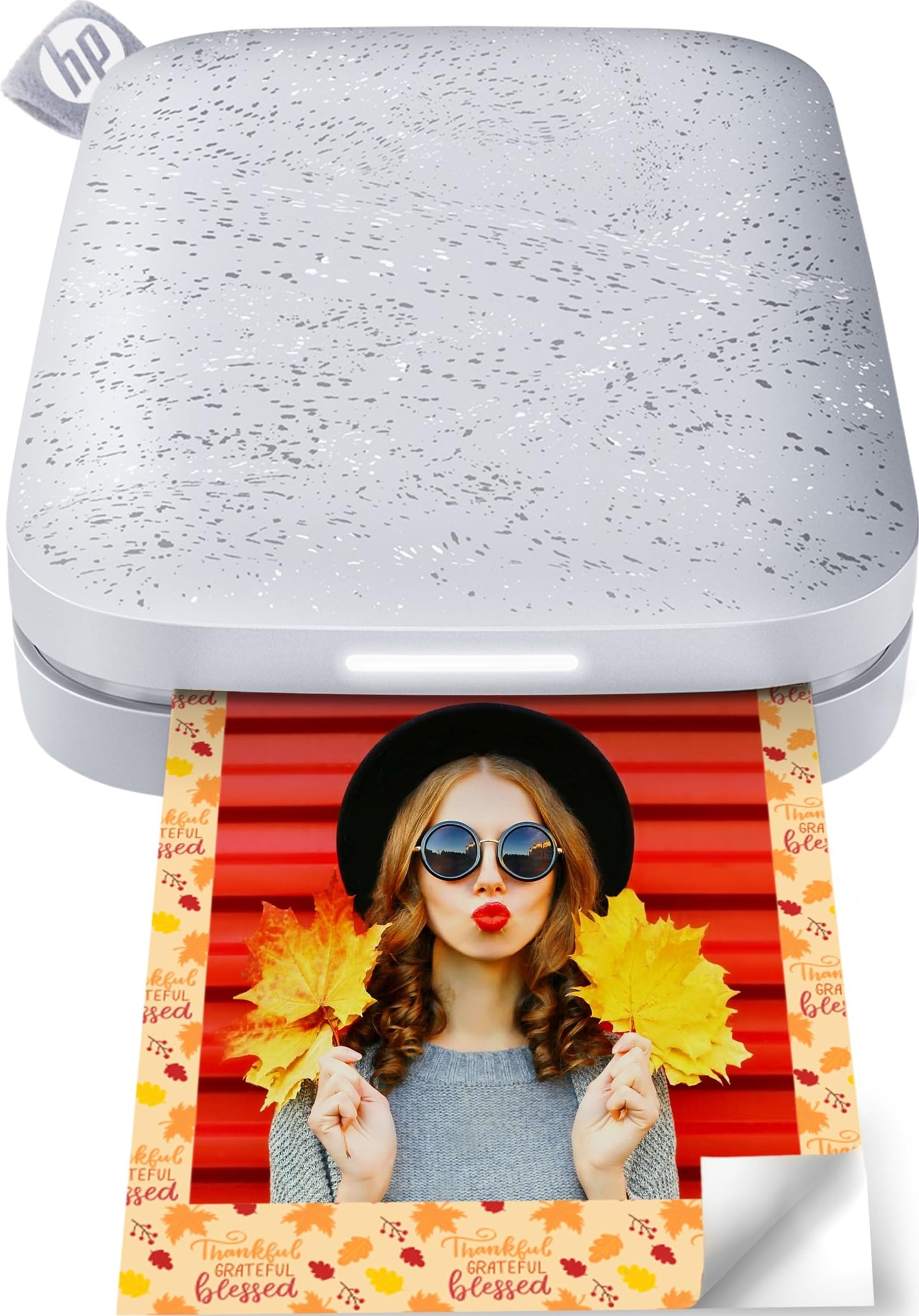
The HP Sprocket Portable Photo Printer (2nd Edition) turns selected phone photos into small adhesive prints for decorating, scrapbooking, or handing to friends.
This hp sprocket 2x3 review looks at its portability, app based creative tools, shared printing features, and the practical limits of a compact 2-by-3-inch format.
HP Sprocket Review Summary
The quick verdict
25,000+ ratings
Read Amazon ReviewsHP Sprocket Portable Photo Printer (2nd Edition)
A pocket friendly option for phone users who want small sticky backed photos for scrapbooks, keepsakes, and casual sharing.
- Prints 2-by-3-inch photos on sticky backed HP Zink paper.
- Pocketable form intended to fit in a purse or backpack.
- Supports connections from multiple devices so friends can send print jobs.
- A personalized LED light indicates whose photo is printing.

Pros
- Compact format makes it practical to bring along for trips and gatherings.
- Peel and stick prints work naturally for scrapbooks, lockers, journals, and casual photo sharing.
Consider before buying
- The 2-by-3-inch format is small, so it is less suitable when you want prints for framing or detailed viewing.
- The included 10 sheets provide only a small initial supply; frequent printing means planning for additional compatible paper.
Read the full review summary
The Sprocket’s appeal is the short path from a phone image to a physical keepsake. Its 2-by-3-inch Zink paper has peel and stick backing, and the pocket sized design is intended to travel in a purse or backpack.
The included starter pack contains 10 sheets, enough to try the workflow and make a few prints before deciding how often to replenish paper.
It suits people who value immediacy and personalization over larger prints: party guests can send jobs from multiple devices, while the app provides tools to decorate and arrange images.
The tradeoffs are the small print area and the need to use compatible paper and the HP Sprocket app. Treat it as a casual creative accessory rather than a replacement for a larger photo printer.
The buying factors
HP Sprocket Scorecard
Editorial scores reflect listed features and buyer fit; they are not laboratory measurements or customer ratings.
Portability
The smartphone sized design is made to slip into a pocket, purse, or backpack.
Print format
Small 2-by-3-inch prints are easy to stick into projects, though they leave little room for a larger image or detailed viewing.
Creative tools
The app supports decorating, designing, and printing photos from social media.
Group sharing
Multiple devices can connect for printing, and a personalized LED indicates whose photo is being printed.
Ready-to-use paper
Ten sheets are included, giving buyers a modest starter supply rather than a large project quantity.
Device compatibility
The product supports Android 5 and above and iOS 10 and above; check your device’s system version before buying.
Everyday convenience
Bluetooth 5.0 and sleep mode are designed to keep it connected and ready while idle.
Key Features and Specifications of HP Sprocket
- Prints 2-by-3-inch photos on sticky backed HP Zink paper.
- Pocketable form intended to fit in a purse or backpack.
- Supports connections from multiple devices so friends can send print jobs.
- A personalized LED light indicates whose photo is printing.
- The HP Sprocket app offers tools to decorate, design, and print social media photos, plus shared customized albums.
- Compatible with Android 5 and above and iOS 10 and above; includes Bluetooth 5.0 and sleep mode.
- Includes 10 sheets of peel and stick photo paper and a one-year limited hardware warranty.
Pros and Cons of HP Sprocket
Pros
- Compact format makes it practical to bring along for trips and gatherings.
- Peel and stick prints work naturally for scrapbooks, lockers, journals, and casual photo sharing.
- Multiple devices can contribute photos, making it useful for group occasions.
- App based editing and album sharing add creative options before and after printing.
Consider before buying
- The 2-by-3-inch format is small, so it is less suitable when you want prints for framing or detailed viewing.
- The included 10 sheets provide only a small initial supply; frequent printing means planning for additional compatible paper.
- Printing depends on the HP Sprocket app and compatible Android or iOS versions, so check your phone before purchase.
Who Should Buy HP Sprocket?
Good fit
Consider it if you want a small phone connected printer for spontaneous keepsakes rather than a standard size photo printer.
The adhesive backing makes the output especially convenient for journaling, scrapbooks, decorations, and sharing a favorite snapshot without carrying loose photo corners or tape.
It is also a natural fit for casual group use. Multiple devices can send images, and the LED cue helps identify the active sender.
The app’s editing tools let each person personalize a photo before printing, while shared albums give friends a way to exchange customized images.
Before buying, confirm that your phone runs a supported operating system and that you are comfortable using the HP Sprocket app.
Also consider how quickly a 10-sheet starter pack might be used in your routine and whether the small format matches the projects you have in mind.
Who should skip it
Skip this format if your main goal is larger prints for displaying in frames, or if you need a printer for documents.
The Sprocket is designed around small, sticky backed photos, so its strengths are portability and casual creativity.
It may also be a poor match if you want to print without using a phone app. Check that the app based workflow fits the devices and photo habits you plan to use.
How the HP Sprocket Fits a 2-by-3 Photo Routine
Pocket size changes when you print
A printer designed to fit in a pocket or bag can join a trip, party, or school activity without requiring a dedicated desk.
That portability makes on-the-spot sharing more plausible, though the printed image remains a small keepsake rather than a wall sized photograph.
Adhesive paper supports hands-on projects
The peel and stick backing gives each print a second use as a sticker.
That can simplify decorating a notebook, scrapbook, or personal space, but buyers should choose this format because they want small adhesive photos, not because they expect general purpose printing.
Shared printing turns the app into part of the occasion
Multiple connected devices can send print jobs, and the personalized LED offers a simple cue about whose image is coming through.
The app also handles photo customization and album sharing, so the experience is most useful to people comfortable doing their selection and editing on a phone.
Plan around the starter paper and phone support
Ten sheets provide a few prints to start, which is enough to explore the process but may not cover a busy event or an ongoing scrapbook habit.
Check your operating system version and budget for compatible paper based on how often you expect to print.
Alternatives to HP Sprocket
NFC pairing alternative
20,000+ ratings
Read Amazon ReviewsKODAK Step Instant Smartphone Photo Printer
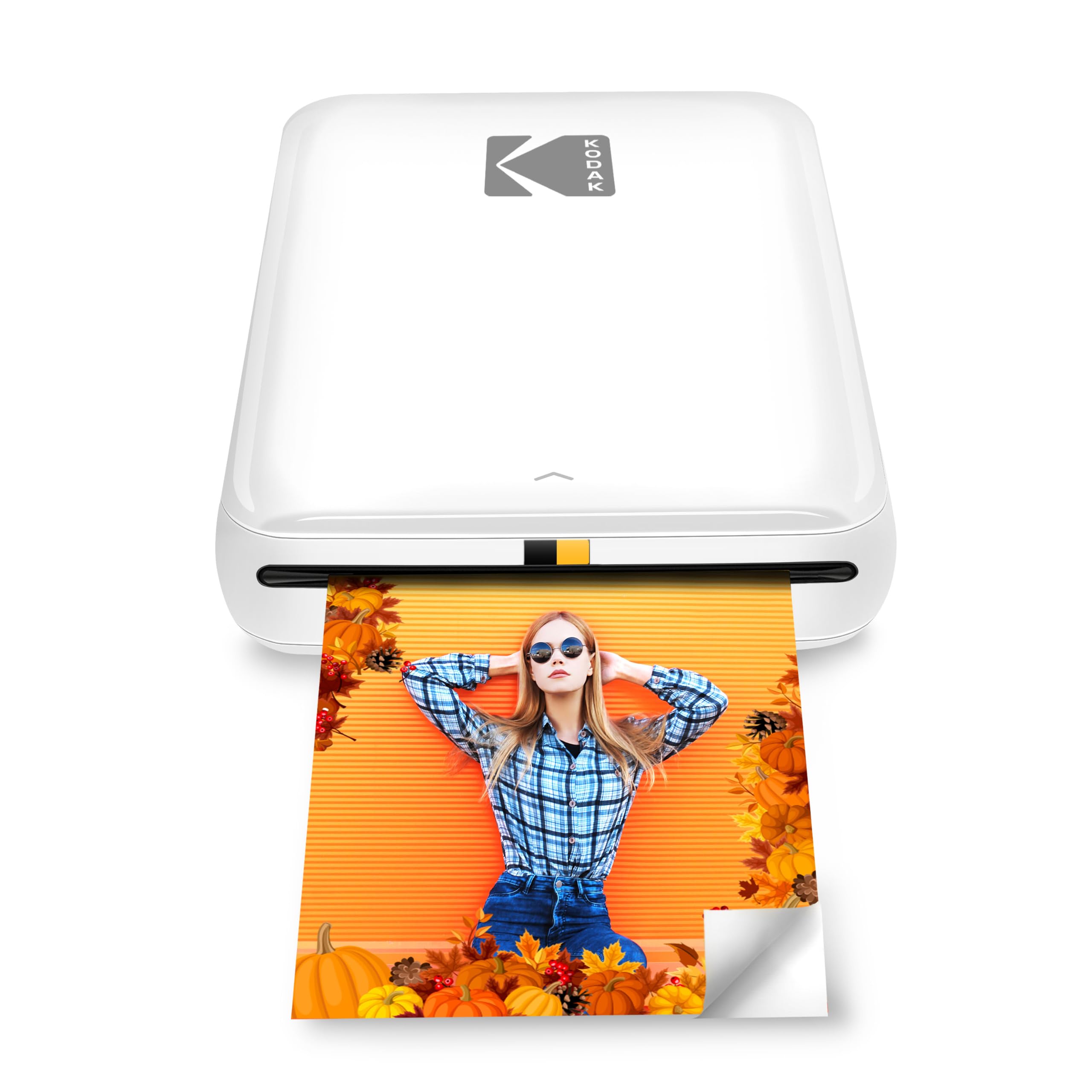
Consider the KODAK Step if NFC pairing or its stated collage and text editing tools better suit your phone workflow.
The HP Sprocket is a better fit if its multiple-device printing and sender-indicating LED are more useful for your gatherings.
- The KODAK Step also prints 2-by-3-inch Zink photos and supports iOS and Android through Bluetooth or NFC.
- Its app offers collages, filters, borders, stickers, and text, and it includes a starter pack of paper.
- The HP Sprocket offers a 2-by-3-inch sticky backed format, multi-device printing, and app based photo customization.
Portable Photo Printers alternative
12,000+ ratings
Read Amazon ReviewsKODAK Mini 2 Retro Photo Printer
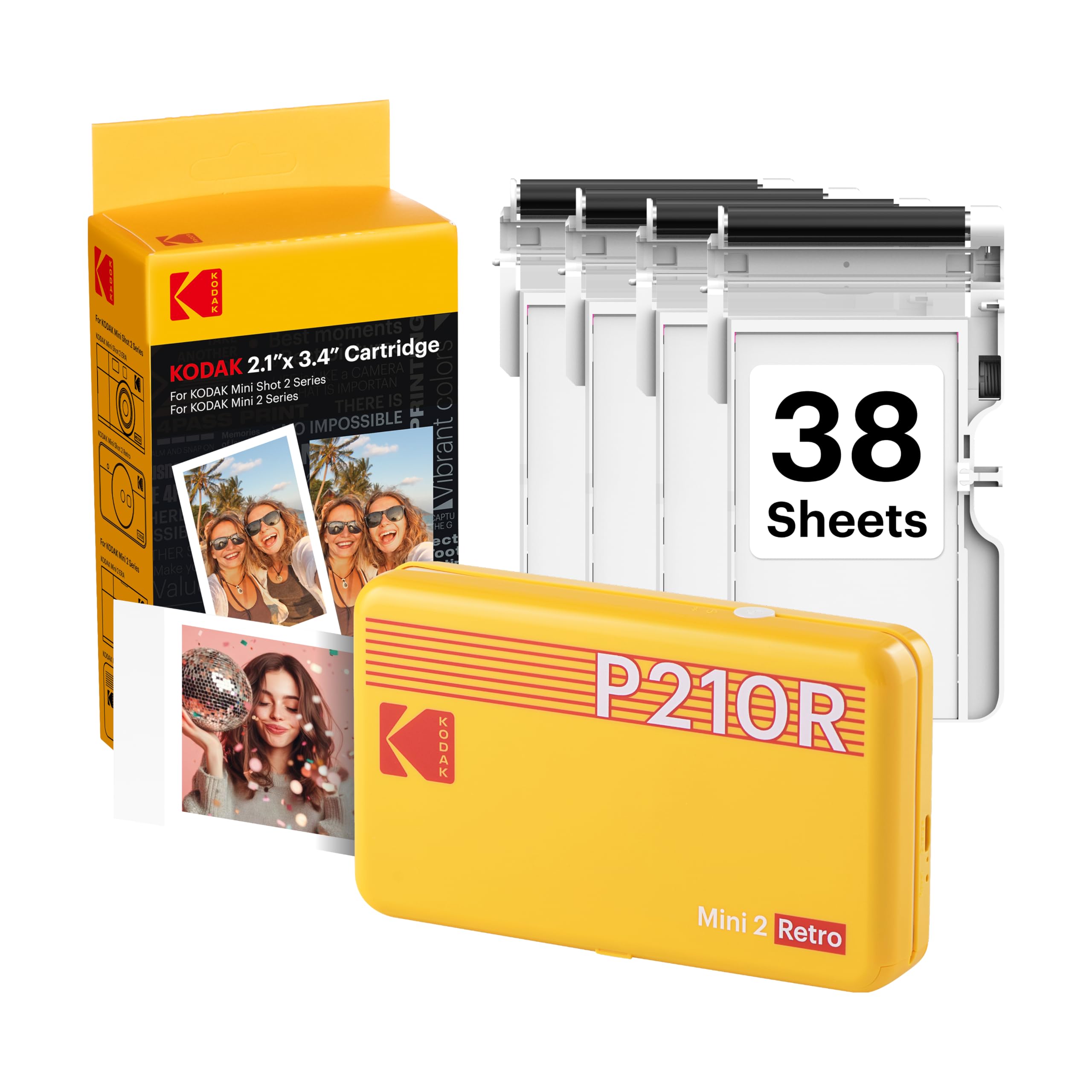
Choose the KODAK Mini 2 Retro if you prefer its dye sublimation process and the larger included paper bundle for a sustained printing session.
Choose the HP Sprocket if adhesive-backed prints, shared device printing, and a pocketable everyday keepsake format are the priorities.
- The KODAK Mini 2 Retro uses 4PASS dye sublimation and includes four cartridges and 38 sheets of photo paper.
- It connects to compatible iOS and Android devices through Bluetooth and the KODAK app, which supports editing, cropping, and customization.
- The HP Sprocket uses 2-by-3-inch adhesive Zink paper and focuses on app based personalization and group printing.
Is HP Sprocket Worth It?
The HP Sprocket Portable Photo Printer (2nd Edition) is worth considering for phone users who want pocketable, sticky backed prints and enjoy personalizing photos in an app.
Its strongest use is casual sharing and small creative projects, especially where several people may contribute images.
Buy it if the 2-by-3-inch format and phone based workflow fit your plans. Look elsewhere if you need larger display prints, document output, or a broader paper supply in the box.
Your review at a glance
25,000+ ratings
Read Amazon ReviewsHP Sprocket Portable Photo Printer (2nd Edition)
A pocket friendly option for phone users who want small sticky backed photos for scrapbooks, keepsakes, and casual sharing.
- Prints 2-by-3-inch photos on sticky backed HP Zink paper.
- Pocketable form intended to fit in a purse or backpack.
- Supports connections from multiple devices so friends can send print jobs.
- A personalized LED light indicates whose photo is printing.