The best USB hubs for music production depend on which connections your interface, drives, controllers, and computer actually need. Choose among compact USB-C docks, switched desktop hubs, and larger powered models by checking port type, data speed, charging, and host compatibility.
Quick Top Products
SABRENT 5-in-1 USB-C Hub HB-TG5P
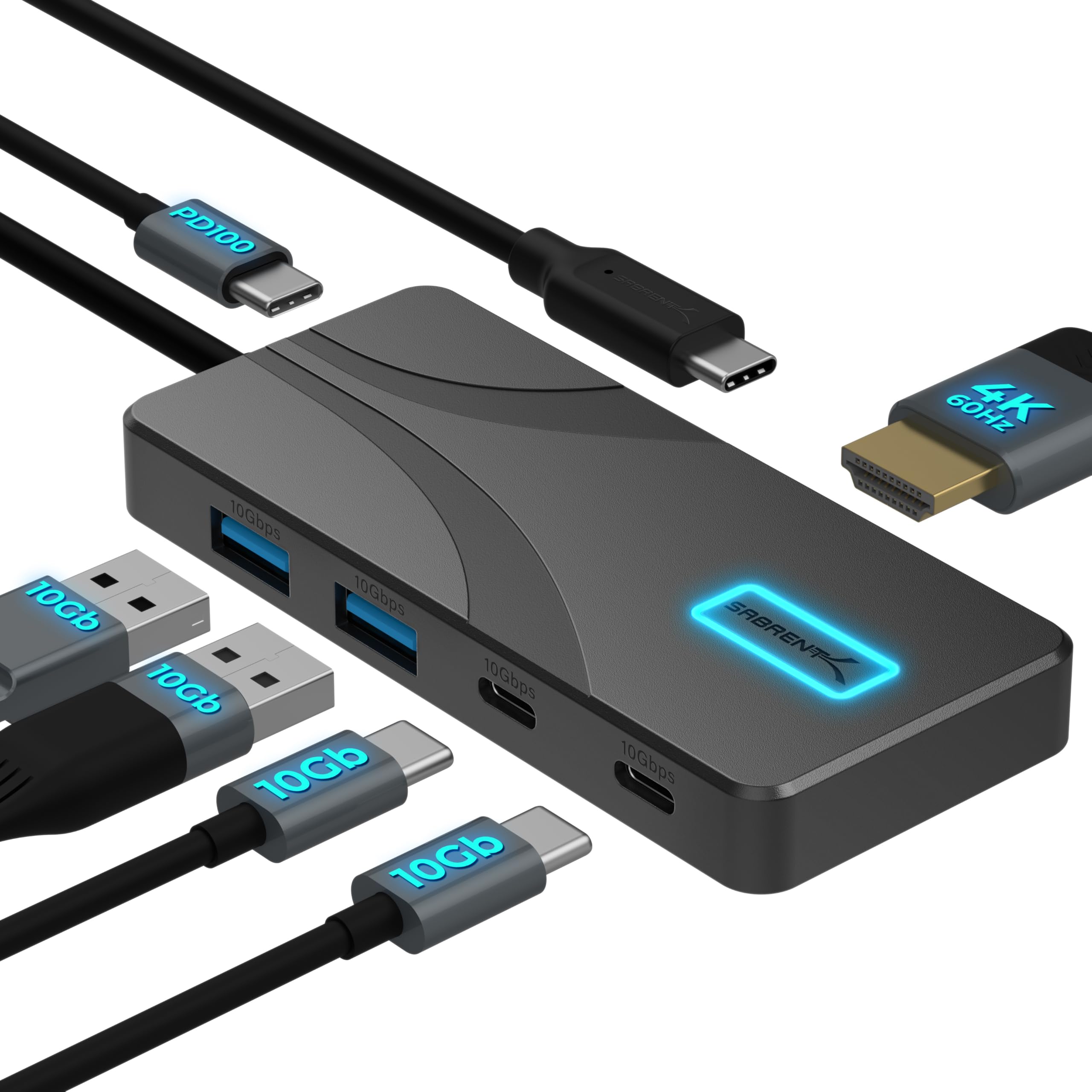
- Four USB-A and USB-C data ports support up to 10Gbps.
- HDMI supports up to 4K at 60Hz.
- Passes up to 80W to a laptop from a 100W PD charger.
Best For: A USB-C laptop setup that needs fast peripheral ports, HDMI, and pass-through charging.

SABRENT USB-C Hub HB-SHPU
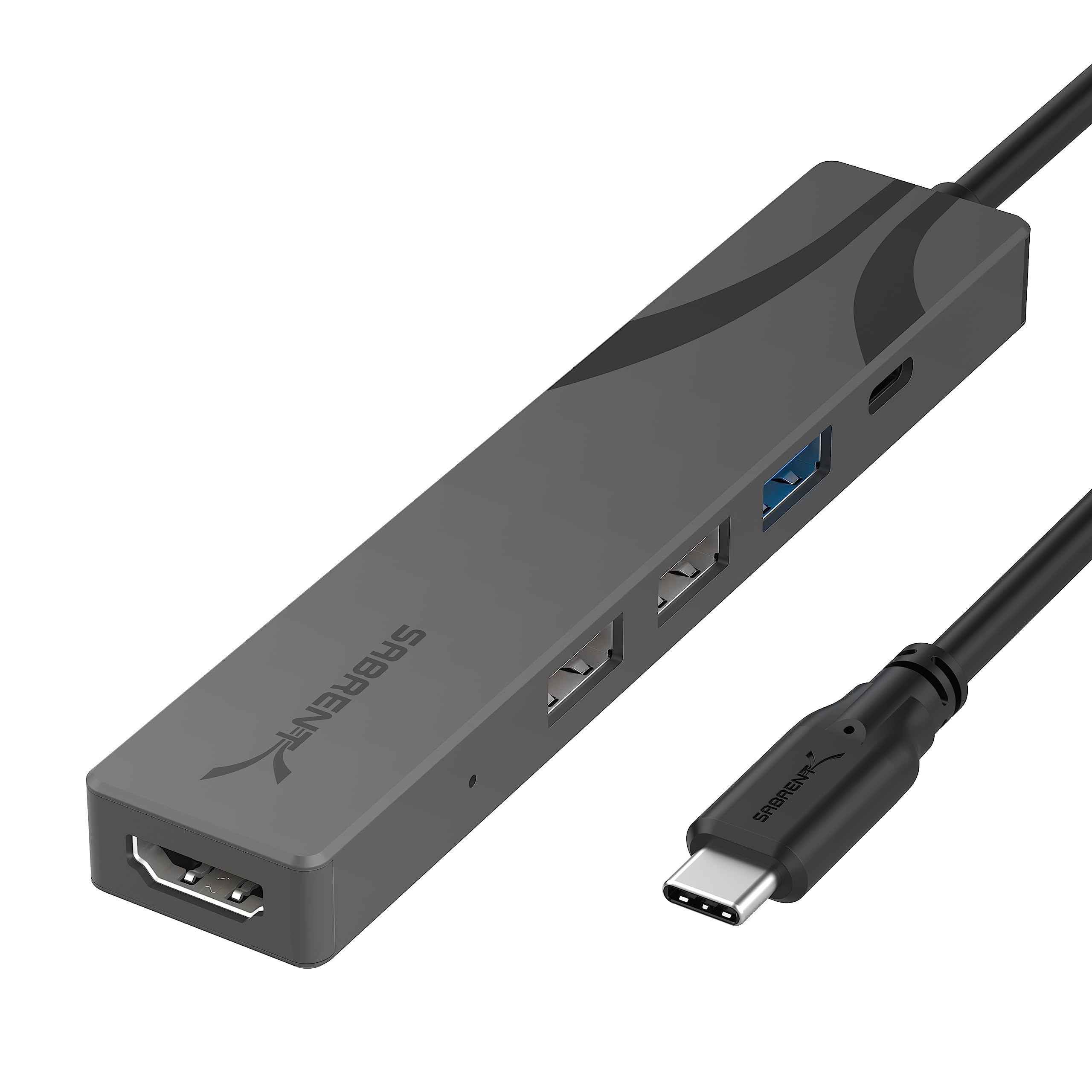
- Includes three USB-A ports, with one rated up to 5Gbps.
- HDMI supports output up to 4K at 60Hz.
- USB-C power delivery supports up to 90W.
Best For: A mobile USB-C setup needing HDMI, basic USB-A ports, and laptop power pass-through.
SABRENT USB-C Hub & SSD Enclosure HB-6PNV

- The M.2 slot supports SATA or NVMe SSDs.
- Includes Gigabit Ethernet and HDMI up to 4K at 60Hz.
- Three USB-A ports include two 5Gbps connections.
Best For: A portable setup that can use an M.2 SSD, wired Ethernet, HDMI, and USB-A.
j5create USB-C Multi-Port Hub JCD373EC
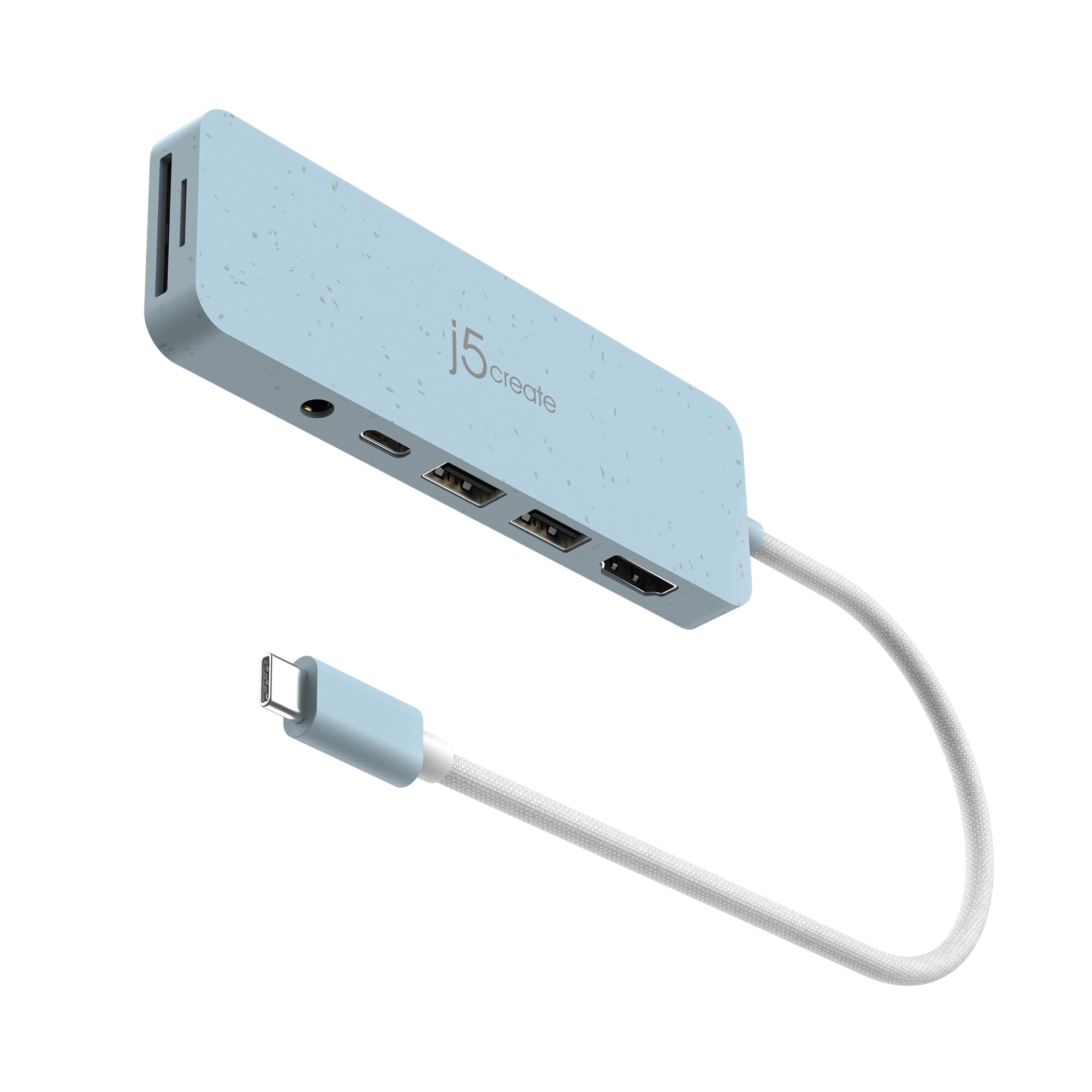
- Combines HDMI, two 5Gbps USB-A ports, SD and Micro SD readers, audio, and PD.
- HDMI output supports up to 4K at 30Hz.
- USB-C PD charging supports up to 100W.
Best For: A USB-C laptop user who wants HDMI, audio, card reading, and charging from one adapter.
SmallRig 4-in-1 USB-C Hub 4598
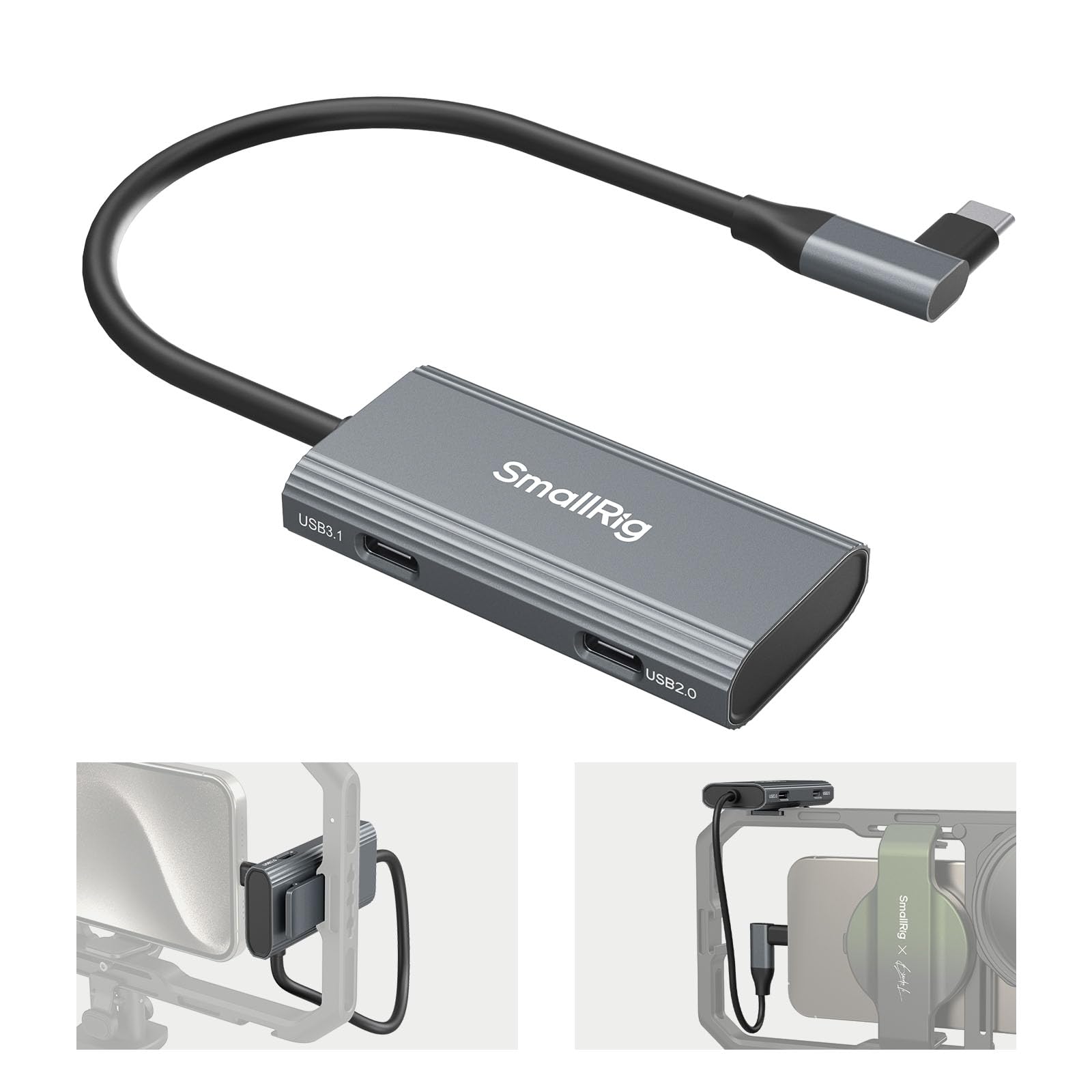
- One USB-C 3.1 interface supports data transfer up to 10Gbps.
- Two USB-C 2.0 interfaces and a PD port bring the total to four ports.
- The hub weighs 38.3 g and includes a cold shoe mount.
Best For: Mobile creators connecting USB-C audio gear, storage, and charging to a phone rig.
SABRENT USB-C 5-in-1 Hub HB-U3CR
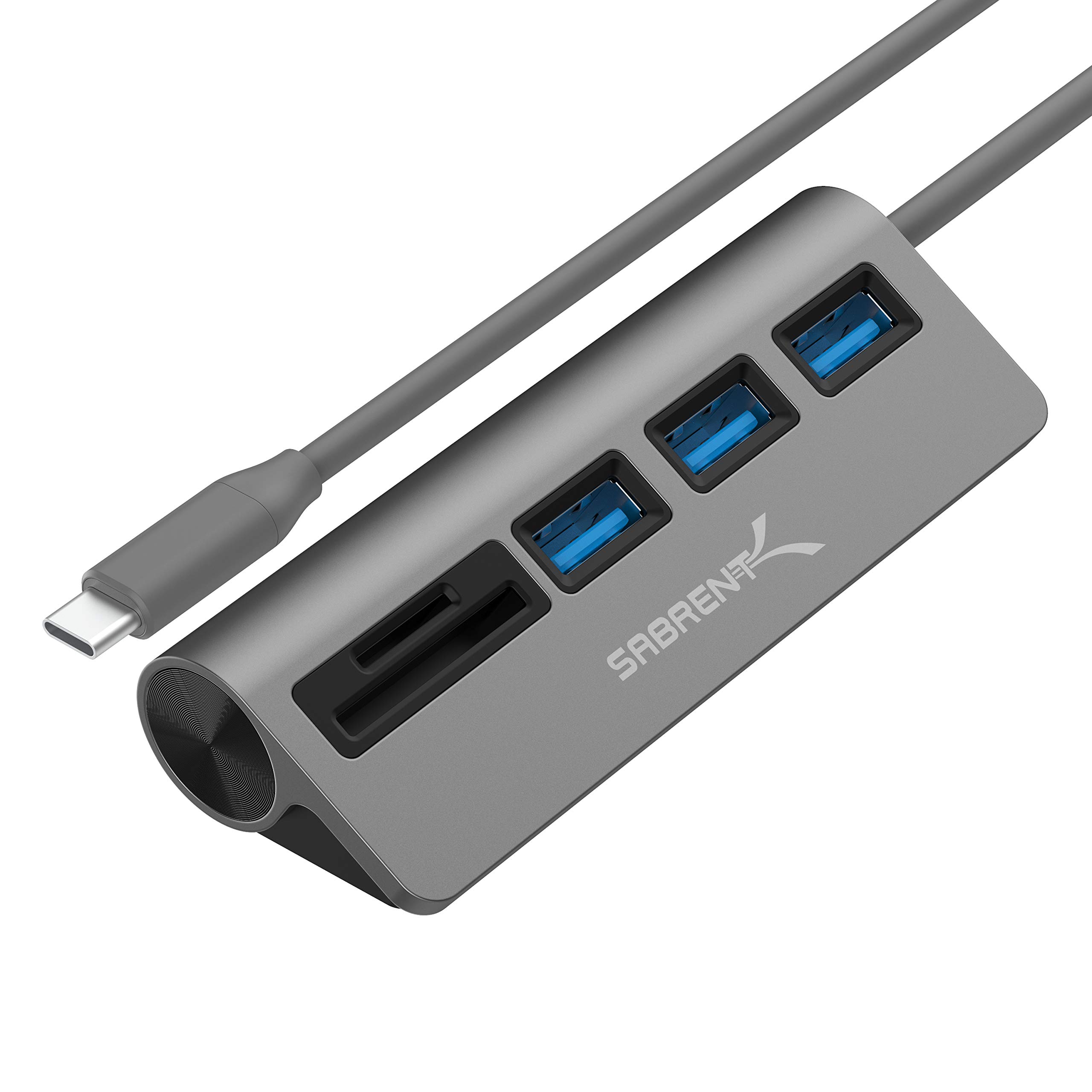
- Includes three USB-A 3.0 ports rated up to 5Gbps.
- The built-in card reader supports SD and microSD formats.
- The hub is plug and play and hot swappable.
Best For: A USB-C computer user who frequently imports SD or microSD media and uses USB-A devices.
SABRENT 10-Port Powered USB 3.0 Hub HB-B7C3
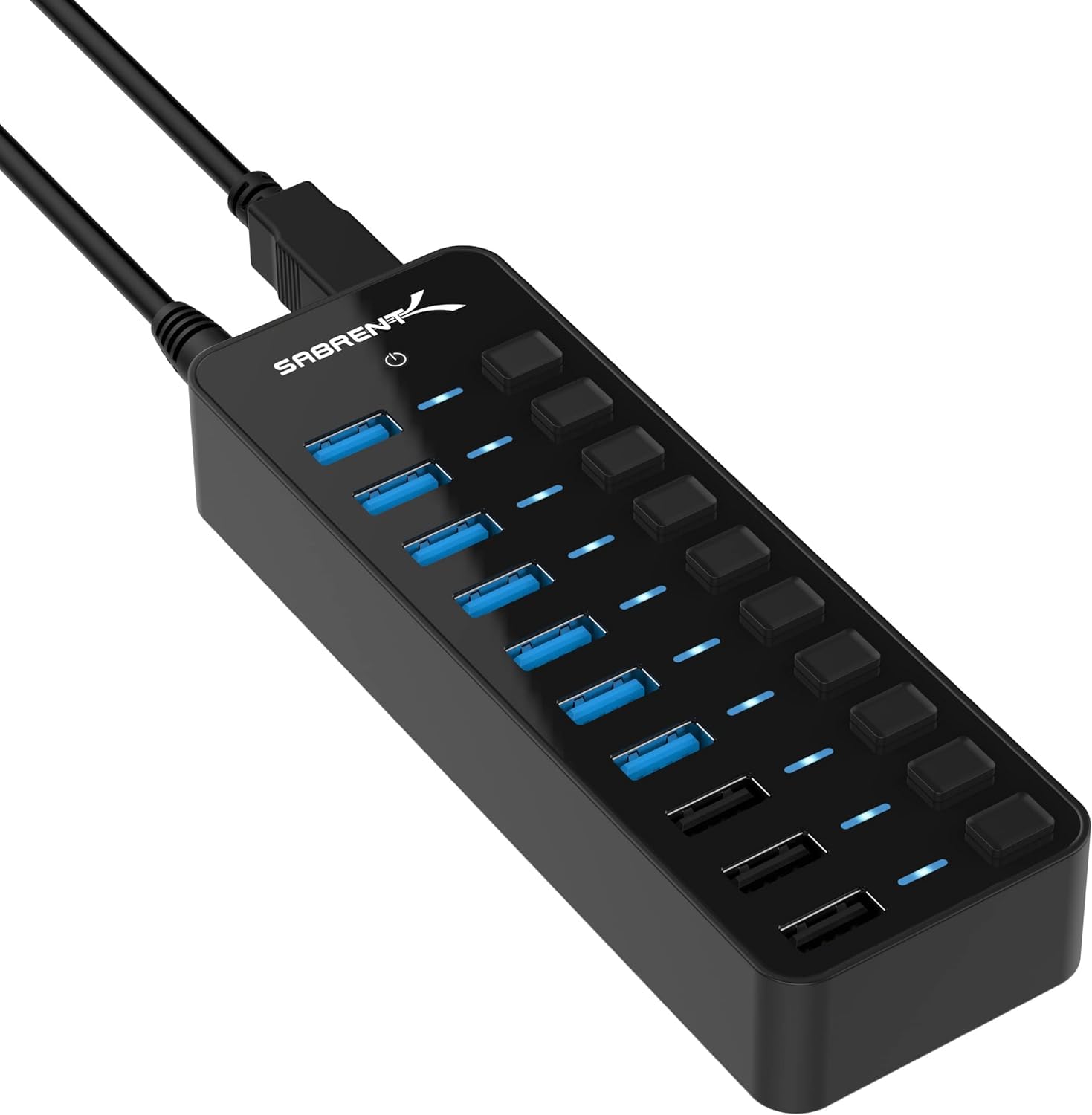
- Seven USB 3.0 ports support up to 5Gbps transfers.
- Three dedicated charging ports provide up to 2.4A per port.
- The included 60W power adapter and per-port switches support desktop use.
Best For: A fixed studio desk with several USB-A devices that need independent switching and charging ports.
SABRENT 4-Port Powered USB 3.0 Hub HB-UMP3
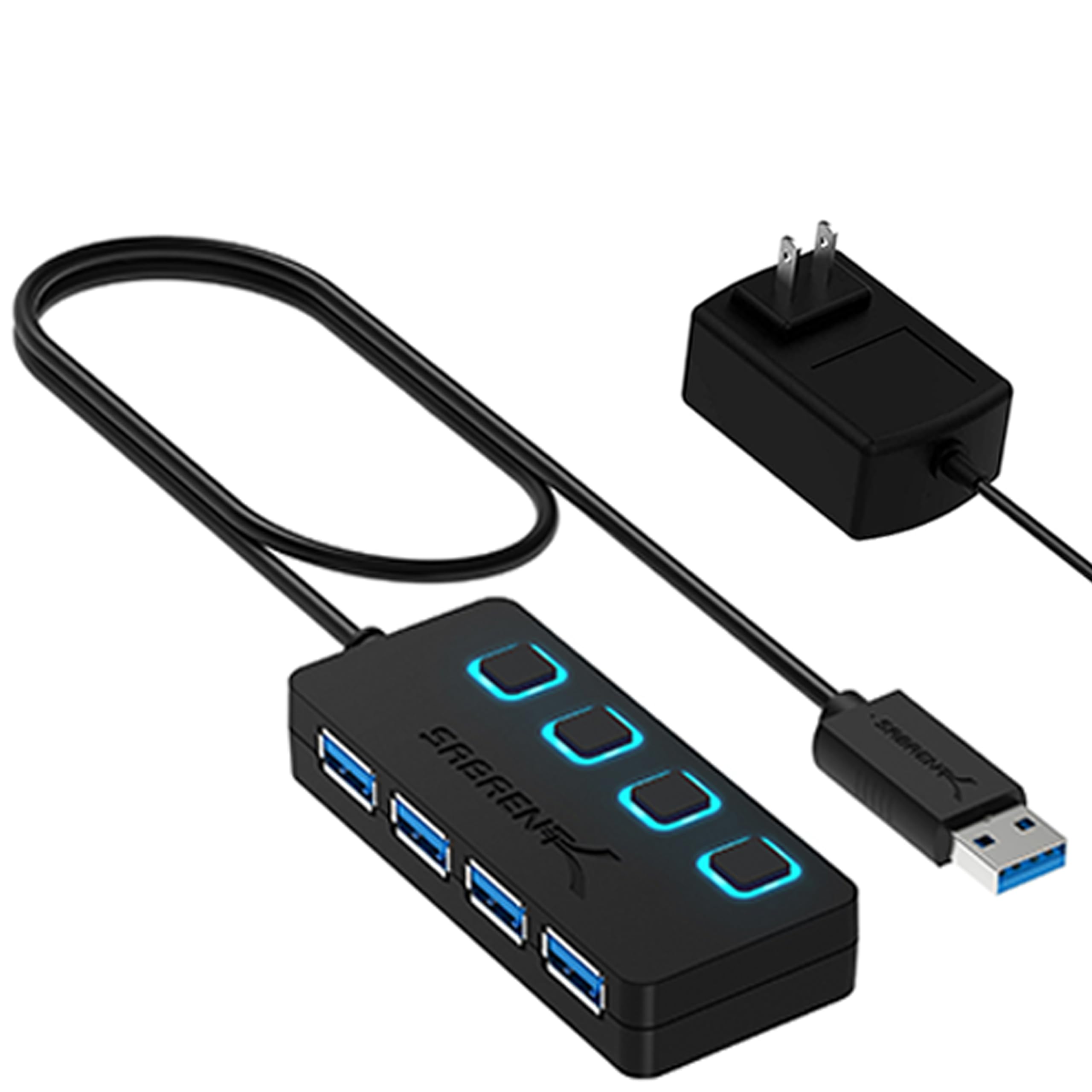
- Adds four USB 3.0 ports.
- Individual switches have LED indicators.
- A 5V/2.5A power adapter is included.
Best For: A small USB-A desk setup that needs four switched ports and an included power adapter.
SABRENT 10-Port Powered USB 3.0 Hub HB-BU10
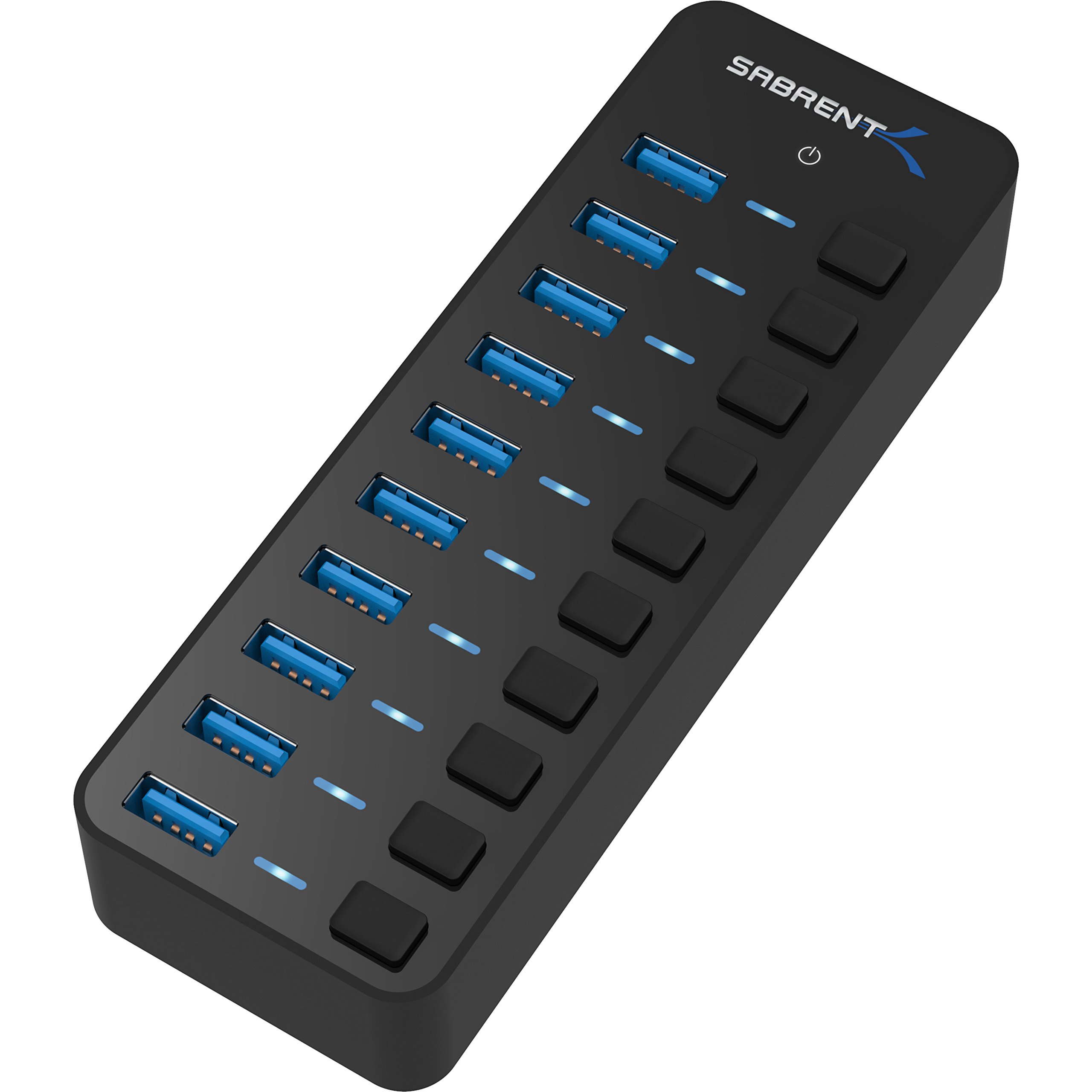
- All ten USB 3.0 ports support up to 5Gbps data transfer.
- Each port has an individual power switch and blue LED.
- Includes a 60W 12V/5A power adapter.
Best For: A desktop with many USB-A data peripherals that benefit from individual port switches.
SABRENT 4-Port Aluminum USB 3.0 Hub HB-MC3B
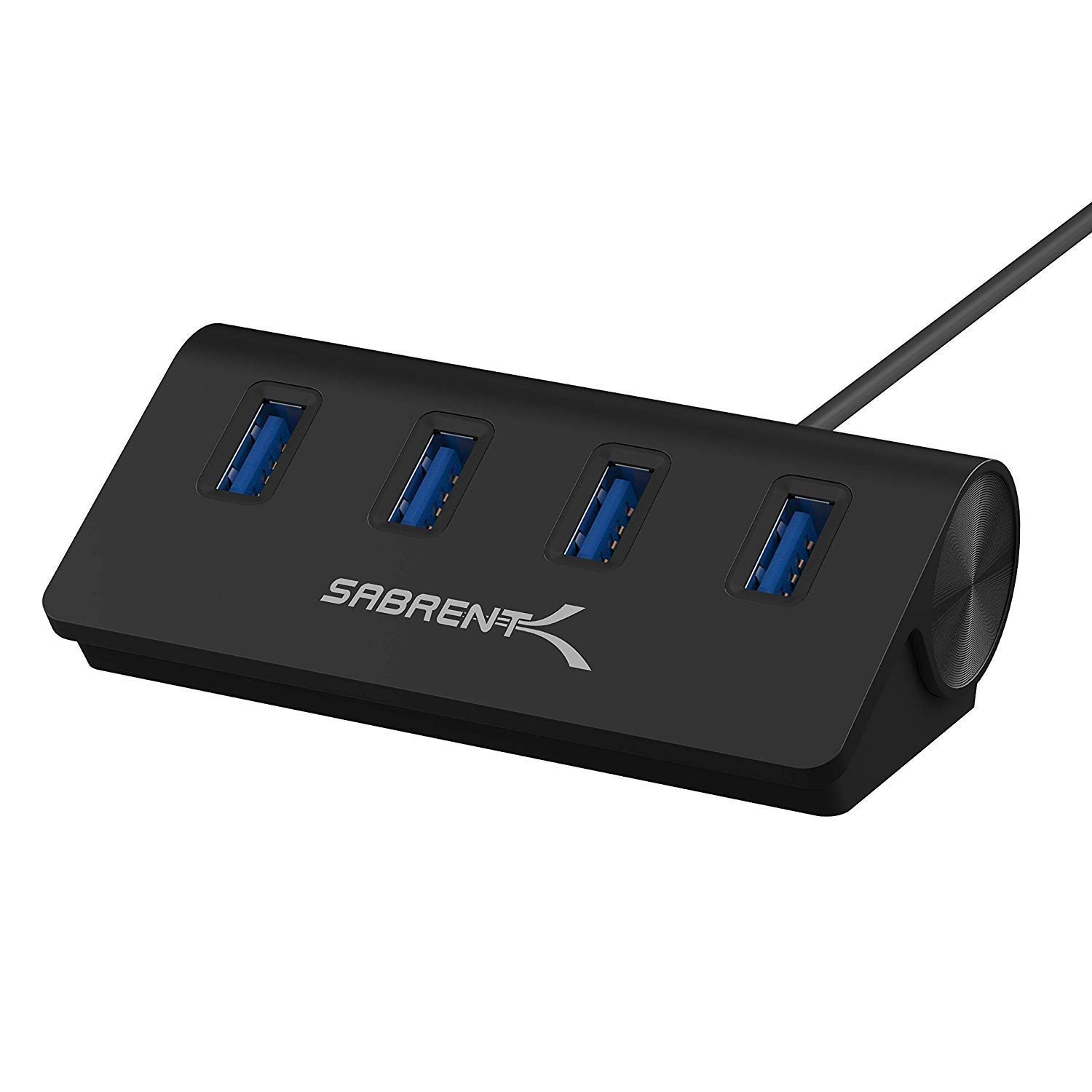
- Adds four USB 3.0 ports with up to 5Gbps transfer.
- The hub has a 2.5ft USB 3.0 cable.
- Supports Windows, Mac, and Linux systems.
Best For: A desk or mobile setup that needs four USB-A ports and flexible cable placement.
Fast USB-C Desk Expansion
SABRENT USB C Hub 5-in-1, 10Gbps USB-A & USB-C Ports, Single 4K@60Hz HDMI, 100W PD Input, 80W Laptop Charging, Compact Aluminum Docking Station for MacBook, iPad, Laptops & Tablets (HB-TG5P)
This compact USB-C hub brings four 10Gbps data ports to a laptop, with two USB-A and two USB-C connections for drives, controllers, and other peripherals. Its HDMI output supports up to 4K at 60Hz, while a separate PD input passes up to 80W to the laptop when connected to a 100W charger.
The integrated 60cm cable offers some reach across a desk, and an onboard switch controls hub power. For a music production setup, the useful tradeoff is that this model prioritizes fast data and a display connection over extra audio or card-reader ports.
Check that the host supports DisplayPort Alt Mode for HDMI.
Best For: A USB-C laptop setup that needs fast peripheral ports, HDMI, and pass-through charging.
| Pros | Cons |
|---|---|
|
|
Choose this hub if your laptop has USB-C and you want speedy drive connections, HDMI, and charging from one desk accessory. It also gives you a physical power switch and a longer integrated cable than many travel adapters.
Its port mix has no card reader or audio jack, so those connections still need separate adapters. Check your computer’s USB-C video support, and plan to supply a 100W PD charger if you want the full pass-through setup.
Travel Dock With HDMI
SABRENT Multi-Port USB-C Hub with Power Delivery, HDMI Out, 3 USB A Ports, 4K@60Hz, 90W PD, Aluminum [HB-SHPU]
The HB-SHPU combines HDMI, three USB-A ports, and power delivery in a travel-oriented aluminum hub with a short integrated cable. HDMI supports up to 4K at 60Hz, and PD pass-through reaches up to 90W.
The USB-A mix is one 5Gbps port plus two USB 2.0 ports, which suits a blend of storage and lower-bandwidth accessories. For a production laptop, that means a drive can use the faster connection while a keyboard or mouse occupies a slower port.
The hub does not add Ethernet, card reading, or dedicated audio connections, so check what you need at the desk before choosing it.
Best For: A mobile USB-C setup needing HDMI, basic USB-A ports, and laptop power pass-through.
| Pros | Cons |
|---|---|
|
|
This is a practical choice for a USB-C laptop that moves between a studio desk and other workspaces. It combines display output and laptop charging with a useful set of USB-A connections, while the short cable keeps the setup compact.
The port-speed split matters if you connect several drives: only one USB-A port offers 5Gbps, while the other two are better suited to slower peripherals. Confirm host video support and decide whether you need a card reader or Ethernet before buying.
Hub With Built-In SSD Slot
SABRENT USB-C Hub & SSD Enclosure, 6-Port Dock with M.2 SSD Slot, 90W Power Delivery, USB 3.0 & 2.0 Ports, 4K HDMI, RJ45 Gigabit Ethernet (HB-6PNV)
This six-port USB-C dock adds more than standard peripheral expansion: it has an internal M.2 slot for SATA or NVMe storage, Gigabit Ethernet, and HDMI. The SSD connection supports up to 5Gbps and accepts 2242, 2260, and 2280 form factors.
HDMI reaches up to 4K at 60Hz on a compatible DisplayPort Alt Mode device, and PD pass-through supports up to 90W. Three USB-A ports round out the connection options, including two 5Gbps ports and one USB 2.0 port.
It suits mobile recording or editing workflows that benefit from wired networking and portable storage, but the SSD itself is not identified as included.
Best For: A portable setup that can use an M.2 SSD, wired Ethernet, HDMI, and USB-A.
| Pros | Cons |
|---|---|
|
|
Pick this dock if you want to combine wired networking and an M.2 storage enclosure with a USB hub. The storage slot can make a mobile project drive part of the same compact setup, while HDMI and PD pass-through add useful laptop connections.
The tradeoff is that the hub’s SSD link is rated up to 5Gbps, and an SSD is not identified as included. Verify your computer supports USB-C video output and confirm the desired SSD form factor before purchase.
Audio and Card Reader Connections
j5create USB-C Multi-Port Hub with Power Delivery with 4K HDMI/2 USB-A 5Gbps/PD 100W Charging SD&Micro SD/3.5mm Audio | for MacBook Pro&Air/iPad Pro/iMac/Surface/XPS/Thinkpad/Galaxy/and More(JCD373EC)
The JCD373EC brings together connections that can be handy in a music workstation: HDMI, a 3.5mm audio jack, SD and Micro SD readers, two USB-A data ports, and USB-C power delivery. Its HDMI supports up to 4K at 30Hz, while the USB-A ports are rated at 5Gbps and charging input supports up to 100W.
That mix is useful when a laptop has limited built-in ports and you move audio files or samples from memory cards. It is a less display-focused choice than hubs with higher refresh rate HDMI, and the host must have the right USB-C video support for HDMI.
Best For: A USB-C laptop user who wants HDMI, audio, card reading, and charging from one adapter.
| Pros | Cons |
|---|---|
|
|
Choose this if your production laptop benefits from a single adapter for headphones, card transfers, peripheral connections, and an external display. Its audio jack and SD/Micro SD readers give it a distinct role among the hubs here.
The main tradeoff is HDMI refresh capability: it supports up to 4K at 30Hz, so check whether that meets your monitor needs. Also confirm that your host supports video over USB-C and review cable reach for your desk.
Phone Video Rig Adapter
SmallRig 4-in-1 USB-C Hub with Cold Shoe Mount
SmallRig’s 4-in-1 hub is aimed at mobile video shooting rather than general laptop docking. It has a USB-C 3.1 port for data transfer up to 10Gbps, two USB-C 2.0 ports, and a PD charging connection supporting up to 100W.
The company also identifies support for ProRes 4K 60 video recording on phones, and the hub can accommodate a USB-C microphone or headphones while charging and storing footage. A cold shoe mount supports rig attachment, and the 38.3 g body is compact to carry.
For a music creator, it may suit phone-based recording and capture, but it offers no USB-A, HDMI, or Ethernet ports.
Best For: Mobile creators connecting USB-C audio gear, storage, and charging to a phone rig.
| Pros | Cons |
|---|---|
|
|
This hub is most relevant if your music or video work includes phone-based capture, USB-C headphones or microphones, and simultaneous charging. Its cold shoe mount makes it distinct from laptop-focused desktop hubs, and the 10Gbps USB-C port can handle fast transfers.
It is a specialized choice with no listed USB-A, display, or wired-network port. Check the phone’s recording workflow and required connections before building it into a rig.
Card Reader and USB-A Expansion
SABRENT USB-C 3.0 Hub, 5-in-1 USB SD Card Reader, SD & TF Dual Slot + 3 USB 3.0 Hub Portable Compatible with MacBook, Mac Pro/Mini, iMac, XPS, Surface Pro, Windows, Thunderbolt (HB-U3CR)
This compact USB-C hub combines three USB-A 3.0 ports with an integrated SD and microSD card reader. The USB-A connections and card reader support transfers up to 5Gbps, making it a straightforward option for moving files from cards while attaching a controller, keyboard, or storage drive.
It is a focused data hub rather than a full docking station: the records identify no HDMI output, Ethernet, or power delivery. That simpler feature set can fit a desktop or travel setup when the computer already handles display and charging connections.
Confirm that the host has USB-C and that your memory cards match the supported SD or microSD formats.
Best For: A USB-C computer user who frequently imports SD or microSD media and uses USB-A devices.
| Pros | Cons |
|---|---|
|
|
Choose the HB-U3CR if card imports and ordinary USB-A peripherals are the main needs. It keeps those connections in one compact USB-C accessory, which can reduce adapter swapping when loading samples or moving session media.
It lacks documented charging and display features, so it will not replace a broader laptop dock. Check the card formats you use and whether your computer already has the video and charging connections required for your workspace.
Switched Powered 10-Port Hub
SABRENT 10-Port USB 3.0 Hub, Individual Power Switches and LEDs, 3 Smart Charging Ports, 60W Power Adapter, for PC, Mac, Xbox, PS5, Laptop, Desktop, USB Devices (HB-B7C3)
The HB-B7C3 provides ten USB-A connections, with seven USB 3.0 ports for data and three dedicated smart-charging ports. Each port has its own power switch and LED indicator, which helps manage connected peripherals individually.
A 60W power adapter is included, and the hub supports up to 5Gbps transfer on its USB 3.0 data connections. This is a substantial desktop expansion option for a setup with several controllers, drives, and devices to charge.
It uses USB-A rather than USB-C for its ports, so check your computer connection and how many devices will use the charging-only connections.
Best For: A fixed studio desk with several USB-A devices that need independent switching and charging ports.
| Pros | Cons |
|---|---|
|
|
This powered hub fits a stationary workstation with many USB-A devices and a need to switch individual ports off. Its seven data ports cover peripherals and drives, while three other ports are dedicated to charging.
The split is important: do not count all ten as equivalent data connections. Before buying, check the hub’s host connection against your computer and decide whether three charging ports and seven data ports match your device mix.
Four-Port Powered Data Hub
SABRENT 4 Port USB 3.0 Hub with Individual LED Lit Power Switches, Includes 5V/2.5A Power Adapter (HB-UMP3)
The HB-UMP3 adds four USB 3.0 ports and includes a 5V/2.5A power adapter. Each port has an individual switch and LED indicator, giving a music desk a simple way to control connected drives and peripherals without unplugging them.
Its data speed supports up to 5Gbps for USB 3.0 devices, with backward compatibility rates for USB 2.0 and USB 1.1 listed in the title. Compared with larger powered hubs, it has fewer connections and a simpler footprint, making it suitable when only a handful of peripherals need expansion.
It is a USB-A hub, so check the computer’s available host port.
Best For: A small USB-A desk setup that needs four switched ports and an included power adapter.
| Pros | Cons |
|---|---|
|
|
Choose this powered hub when four USB-A connections are enough and you want each port switched independently. The included adapter distinguishes it from simple bus-powered expansion and makes it a reasonable fixed-desk candidate.
It does not have USB-C, HDMI, or card-reader features in the supplied details, so it is not a laptop dock replacement. Confirm your computer has the matching host connection and that the four-port count covers the peripherals you plan to leave connected.
Ten Switched USB 3.0 Ports
SABRENT 10-Port 60W USB 3.0 Hub with Individual Power Switches and LEDs, Includes 60W 12V/5A Power Adapter (HB-BU10)
The HB-BU10 expands a computer with ten USB 3.0 ports, each with an individual power switch and blue LED status light. It supports data transfer up to 5Gbps and includes a 60W, 12V/5A power adapter.
For a music production desktop with multiple controllers, storage devices, and other USB peripherals, the higher port count can reduce the need to daisy-chain smaller hubs. It does not list separate charging-only ports, card readers, audio, or display connections.
Compare its all-data USB-A layout with hubs that reserve some ports for charging, and verify the host connection and desk placement before buying.
Best For: A desktop with many USB-A data peripherals that benefit from individual port switches.
| Pros | Cons |
|---|---|
|
|
Pick this model if you need a large bank of switched USB-A data connections for a fixed workstation. Unlike the 10-port alternative with three dedicated charging ports, this record describes ten USB 3.0 ports for data, so compare the intended device mix carefully.
The included power adapter supports the powered desktop setup, but charging output per port is not specified. Check the computer connection and space available for the hub before committing to a ten-port layout.
Aluminum Hub With Longer Cable
SABRENT 4-Port USB 3.0 Hub Aluminum Portable Data Hub with 2.5ft USB 3.0 Cable for iMac, MacBook, MacBook Pro, MacBook Air, Mac mini, or Any PC [Black] (HB-MC3B)
This four-port USB 3.0 hub has an aluminum body and a 2.5ft USB 3.0 cable, allowing it to sit away from a computer’s port rather than directly against it. It supports transfer speeds up to 5Gbps and is described as plug and play and hot swappable.
For a studio laptop or desktop, that can make it easier to place connectors where drives and controllers are accessible. The record identifies no individual port switches, charging support, or display output, so the attraction is straightforward USB-A expansion and cable reach.
Check whether the computer has a compatible USB host port before choosing it.
Best For: A desk or mobile setup that needs four USB-A ports and flexible cable placement.
| Pros | Cons |
|---|---|
|
|
Choose the HB-MC3B if four USB-A ports and a longer cable solve the main problem, especially when the computer’s ports are inconvenient to reach. Its aluminum construction and listed cross-platform compatibility make it a simple general-purpose expansion option.
It has fewer documented control features than switched models and no specified charging adapter. Check host-port compatibility and consider whether your interface or other high-demand device needs a dedicated connection instead of sharing a hub.
How to Choose Usb Hubs
How We Picked USB Hubs
For a music production setup, useful expansion depends on the computer’s ports and the devices that stay connected. We selected a mix of laptop docks, small data hubs, and powered desktop models that add distinct connections or controls.
USB-A hubs support common studio peripherals, while USB-C adapters can bring together charging, video, card reading, or wired networking.
Port count alone does not show what a hub can do. Some models reserve connections for charging, some offer per-port switches, and others add card readers or display output.
The selected options include straightforward four-port expansion, larger powered banks, and multifunction USB-C hubs so buyers can match the device mix rather than assume every port is equivalent.
Comparing USB Hubs for a Studio Desk
Start with the host connection: several compact docks use USB-C, while the larger switched expansion hubs use USB-A. For a laptop desk, the SABRENT HB-TG5P combines four 10Gbps data connections with HDMI and up to 80W laptop pass-through from a 100W charger.
The HB-SHPU offers HDMI and up to 90W PD but has only one 5Gbps USB-A port; the j5create JCD373EC adds a headphone jack and SD/Micro SD readers, with HDMI up to 4K at 30Hz.
For file import, the SABRENT HB-U3CR combines a card reader with three USB-A data ports. The HB-6PNV adds an M.2 SSD slot and Gigabit Ethernet, which can reduce separate adapters in a mobile setup.
Check whether video output requires a host feature such as DisplayPort Alternate Mode, and whether the USB-C port passes the charging power your laptop needs.
At a fixed workstation, the powered hubs trade compactness for more connections and controls. The HB-B7C3 separates seven USB 3.0 data ports from three dedicated charging ports.
The HB-BU10 instead offers ten switched USB 3.0 ports. For a smaller set of devices, the four-port HB-UMP3 includes an adapter and per-port switches, while HB-MC3B offers a 2.5ft cable for flexible placement.
| Product | Standout features | Best for |
|---|---|---|
| SABRENT 5-in-1 USB-C Hub HB-TG5PCheck Price |
| A USB-C laptop setup that needs fast peripheral ports, HDMI, and pass-through charging. |
| SABRENT USB-C Hub HB-SHPUCheck Price |
| A mobile USB-C setup needing HDMI, basic USB-A ports, and laptop power pass-through. |
| SABRENT USB-C Hub & SSD Enclosure HB-6PNVCheck Price |
| A portable setup that can use an M.2 SSD, wired Ethernet, HDMI, and USB-A. |
| j5create USB-C Multi-Port Hub JCD373ECCheck Price |
| A USB-C laptop user who wants HDMI, audio, card reading, and charging from one adapter. |
| SmallRig 4-in-1 USB-C Hub 4598Check Price |
| Mobile creators connecting USB-C audio gear, storage, and charging to a phone rig. |
| SABRENT USB-C 5-in-1 Hub HB-U3CRCheck Price |
| A USB-C computer user who frequently imports SD or microSD media and uses USB-A devices. |
| SABRENT 10-Port Powered USB 3.0 Hub HB-B7C3Check Price |
| A fixed studio desk with several USB-A devices that need independent switching and charging ports. |
| SABRENT 4-Port Powered USB 3.0 Hub HB-UMP3Check Price |
| A small USB-A desk setup that needs four switched ports and an included power adapter. |
| SABRENT 10-Port Powered USB 3.0 Hub HB-BU10Check Price |
| A desktop with many USB-A data peripherals that benefit from individual port switches. |
| SABRENT 4-Port Aluminum USB 3.0 Hub HB-MC3BCheck Price |
| A desk or mobile setup that needs four USB-A ports and flexible cable placement. |
Port Speed, Power, and Studio Peripherals
Match transfer speed to the devices you connect. Fast external drives and card workflows benefit from USB 3.0 or faster connections; keyboards, mice, and similar low-bandwidth peripherals can use slower USB 2.0 ports.
The distinction matters on mixed hubs such as the HB-SHPU, where one USB-A port supports up to 5Gbps and two support up to 480Mbps.
A powered hub has its own adapter, but that does not mean every port charges a laptop or can replace a USB-C PD dock. The HB-B7C3 has three dedicated charging ports rated up to 2.4A per port, while the HB-UMP3 includes a 5V/2.5A adapter and per-port switching.
Check whether a port is for data, device charging, or laptop power pass-through before connecting equipment that depends on a particular function.
For audio production, a hub can organize keyboards, storage, card readers, and accessories, but the supplied details do not establish audio-interface performance or latency. Keep any connection that your interface manufacturer requires directly attached, and confirm your computer’s port and power needs when arranging the rest of the setup.
Which USB Hub Fits Your Music Production Setup?
Choose a multifunction USB-C hub when you want a laptop adapter that combines charging, HDMI, and several peripheral connections. The HB-TG5P suits a faster data and display setup; the JCD373EC is a closer fit for card transfers and a 3.5mm audio connection; and the HB-6PNV is the distinctive option for an M.2 drive and Ethernet.
Choose a powered desktop hub when many USB-A devices stay attached. The HB-B7C3 is useful when dedicated charging ports matter, while the HB-BU10 offers ten switched data ports.
For fewer devices, the HB-UMP3 adds four switched ports with an adapter, and the HB-MC3B keeps four ports accessible through its longer cable.
Before ordering, count the data ports you need separately from charging ports, check USB-A versus USB-C on both hub and computer, and confirm any required display mode or PD input. Those checks help prevent a mismatch between a hub’s port count and the actual connections your workstation needs.